Nostalgic for the days of pen, brush and paper?
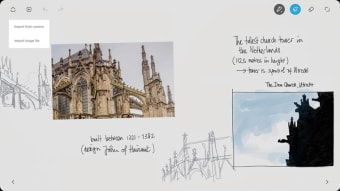
If you miss the days of pen and paper, then Bamboo Paper is a slick note taking tool that recreates the look and feel of notepaper and a sketchbook on your mobile device.
Top Recommended Alternative

Accurately recreates a paper experience
Although it's very hard to emulate the real thing on a touch screen, Bamboo Paper does a surprisingly good job in recreating a pen on paper feel. Ideally, Bamboo Paper should be used with a tablet and stylus but you can also paint and draw with your fingers although the accuracy can be poor this way and it's obviously not the same experience.
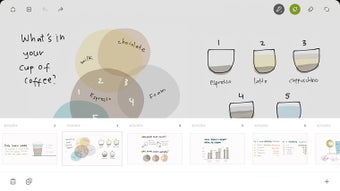
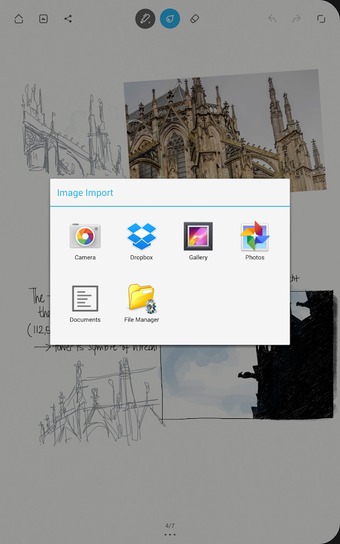
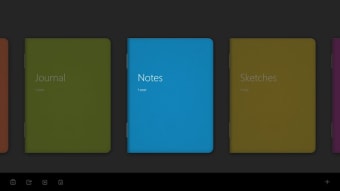
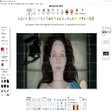
You can choose from a number of different notebook styles or themes, with various paper types, colors and textures. You can add pictures and photos to your notes, and export to online storage sites such as DropBox and Evernote and share via Facebook, Twitter and Tumblr.
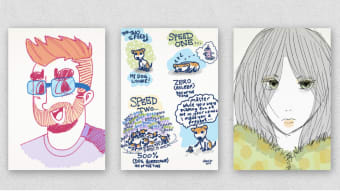
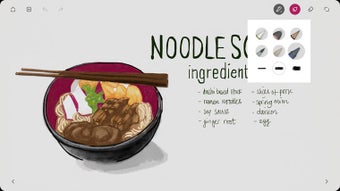
For drawing and sketching, Bamboo Paper also allows you to choose different pens and brushes. This enables you to create a surprisingly realistic oil and pastel painting effect although many are designed for styluses with different tip types. The overall look and feel of Bamboo Paper is a very well designed app that's aesthetically pleasing to use but also helps you organize notes and drawings.
Best used with a stylus or tablet
If you're a serious artist or writer, it's essential to use Bamboo Paper on a tablet with stylus (it's optimized for both Bamboo and Wacom tablets) as it's hard to be accurate with fine details and curves without one.
There's also a frustrating lack of PDF support both importing and exporting. There's no way to either import PDFs and annotate them or export notes and documents that you've saved as a PDF to send to someone else. However, you can of course share via social media instead.
It's also too easy to accidentally swipe pages when writing - it would be nice to be able to deactivate this to prevent pages suddenly flipping while writing or sketching.
A great app for paper nostalgics
If you're nostalgic for good old pen and paper or a sketchbook, Bamboo Paper does a good job of recreating the feeling on a screen.